How I track my work and life
I’ve been using a simple calendar system at work since 2022 to track tasks and projects. Sometimes colleagues pass by my desk, see this calendar, and ask how I set it up and what makes it stick. I thought it’d make sense to write about it and a newer system I’ve been using to track my life events.
Work #
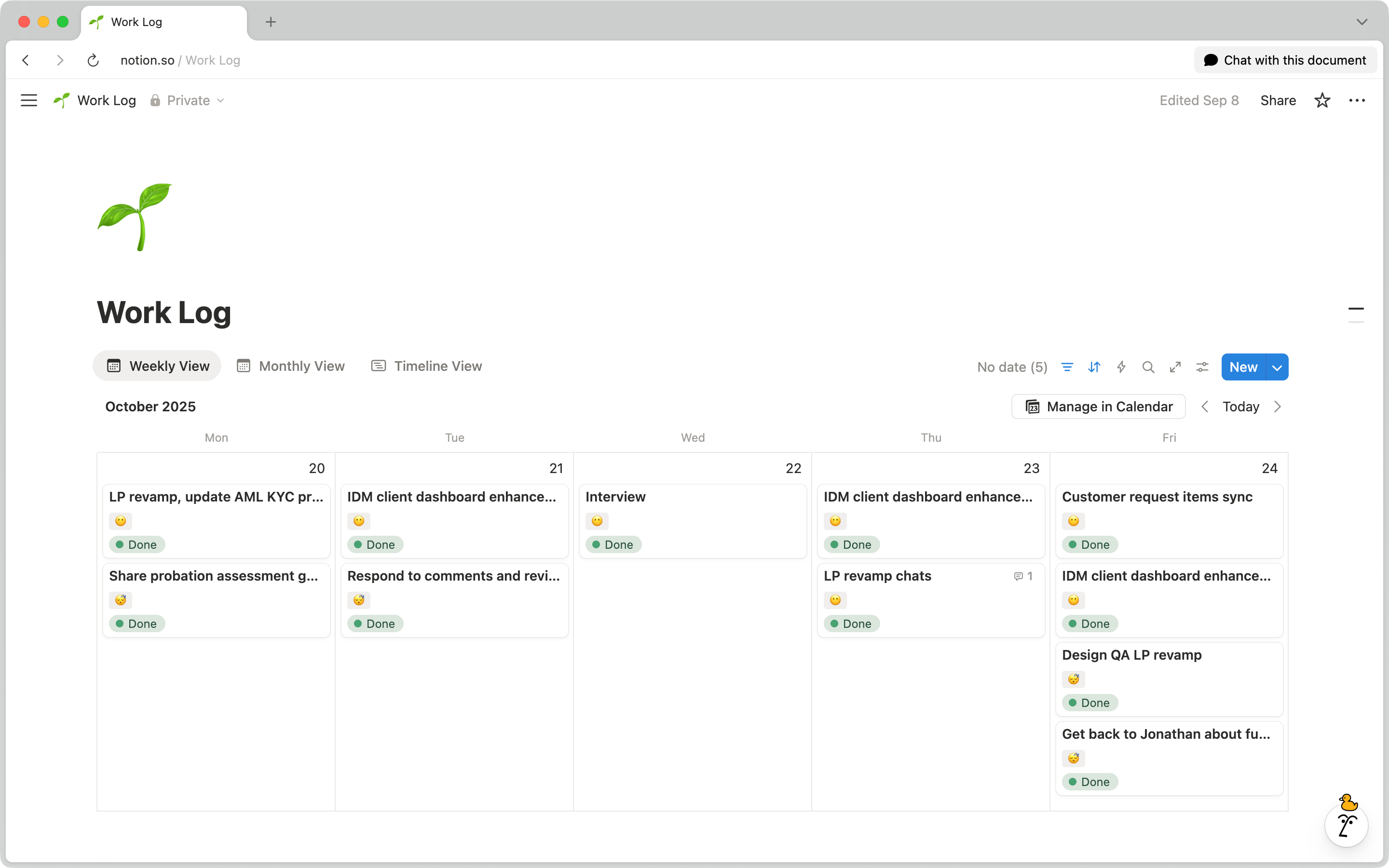
I have a weekly calendar view in Notion with items for tasks. Each task has a status (New, On it, Done), an effort score based on time and energy (low is an hour or less, medium is two to three hours, high is half a day or more), a link to the ticket or doc, a created date to see when something’s been pushed too long, and sometimes comments for context when I look back.
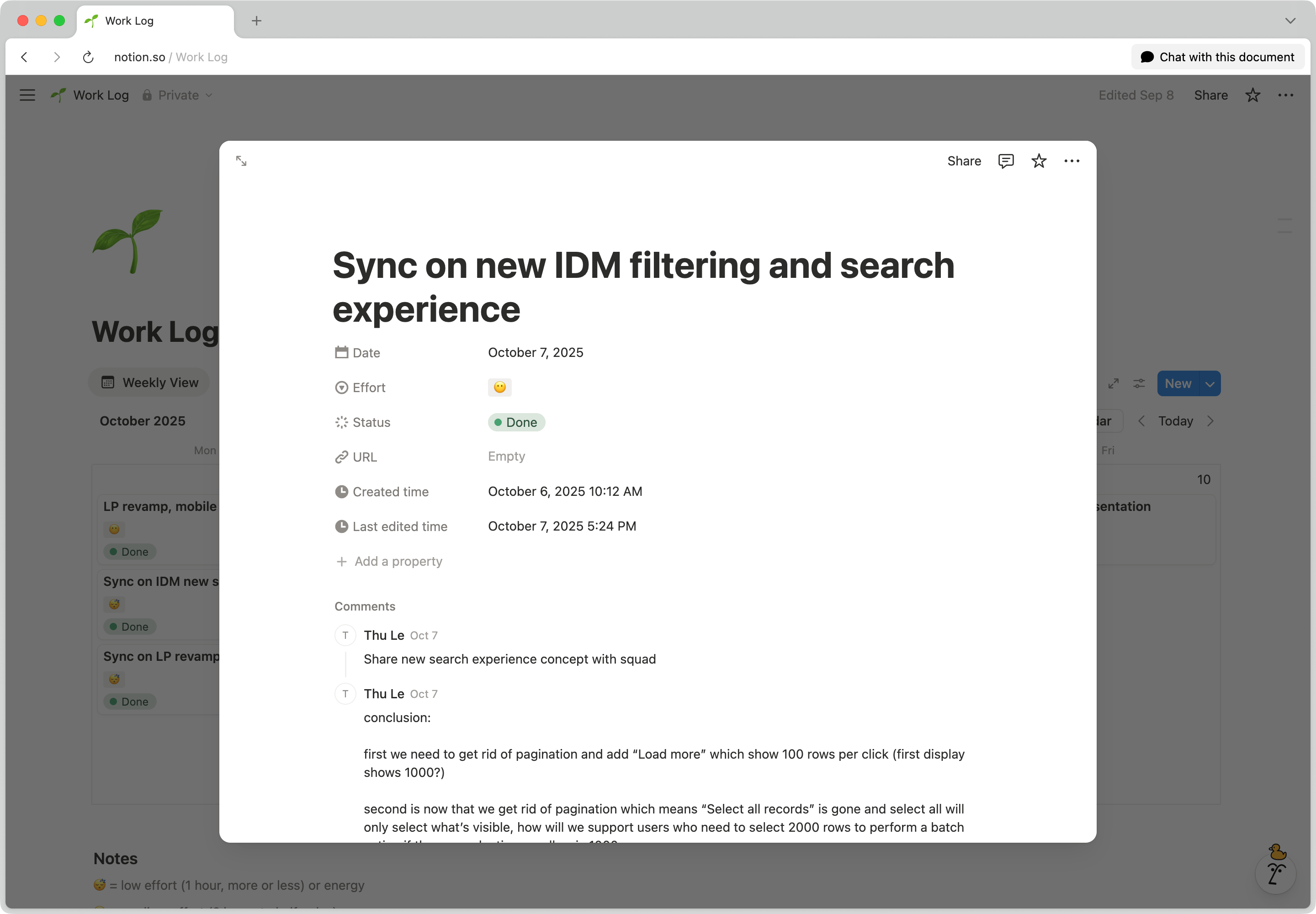
I aim to have three items a day. I cap it at one high-effort task per day (rarely happens), or a mix of medium and low-effort tasks. The scoring helps me set realistic goals instead of overcommitting.
I tried a Kanban board in the past, but it felt too flat or static to me. The calendar view lets me see progress across time, and how things transition and connect to bigger goals.
This system also helps me write weekly standup updates for my product squad and summaries for the design team, where I can speak to the bigger picture instead of listing individual items that feel disconnected. I also track meetings that need heavy cognitive load — brainstorming sessions, complex discussions — so I can plan focus work around them and organize my week more efficiently.
Every month, quarter, or half-year, I look back at what I shipped and how it moved projects forward.
Life #
I only started using a similar system for my personal life this year. I didn’t think I needed one until the end of 2024, when I realized a planner would help me see progress toward my goals — not just check them off — and help me see whether I’ve made time for people, myself, and my hobbies. Better late than never.
So I made a separate Notion database, also in a calendar view, but set up a little differently:
- I track life events with categories.
- I include weekends.
- I only use the monthly view.
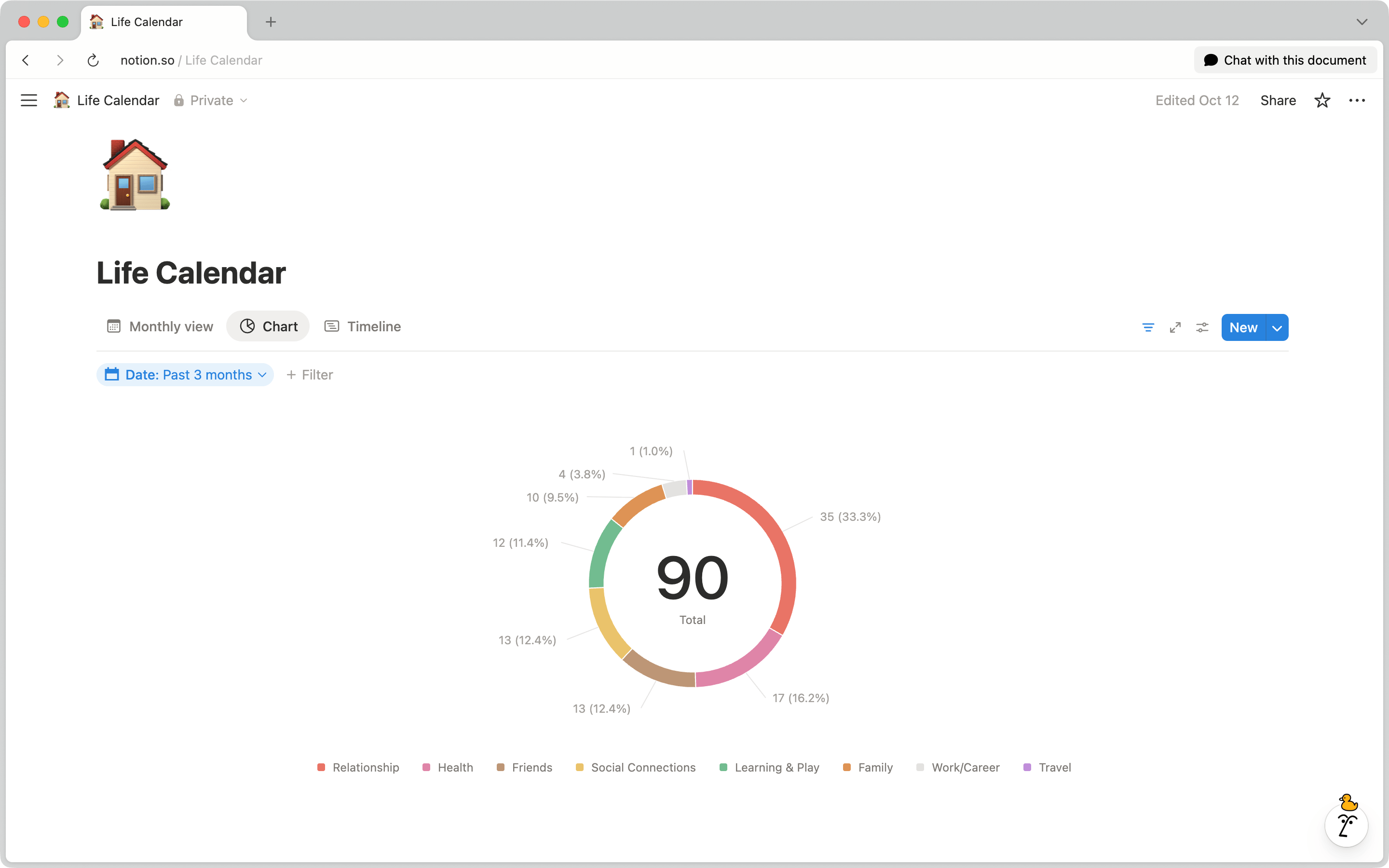
- I added a chart view that shows the distribution across my different goal areas.
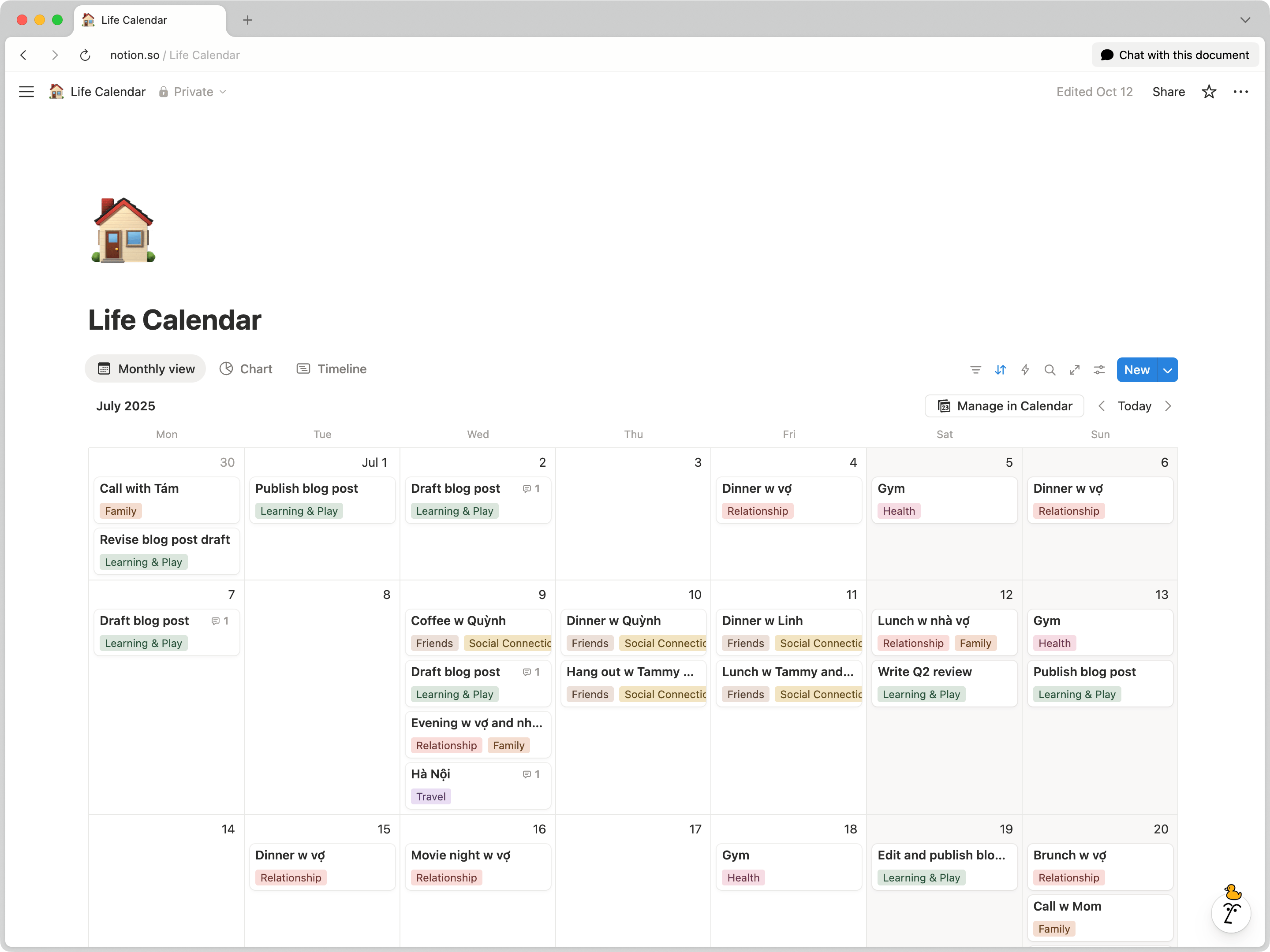
I use the monthly view to see whether I’ve actually done the things I say matter — calling my family, spending time with friends, going on dates with my fiancée, writing, running, tinkering, traveling. The chart view breaks it down so I can spot what I’ve been skipping.
I’ve trimmed categories in my life planner when I realized they didn’t make sense or weren’t actually meaningful. My work planner has already gone through a couple of iterations, and I’m planning another one — adding categories like the ones in my life planner, plus a chart view. Both will continue to change, but their purposes stay consistent: the work planner helps me stay focused and use my time well, the life planner shows me whether I’ve been living the way I said I wanted to live.
This setup is definitely not perfect, but it fits how my brain works right now. I like seeing how my days really went rather than the version I vaguely remember. It gives me enough clarity to pause and adjust when things start to feel off.