iPad mini reading setup
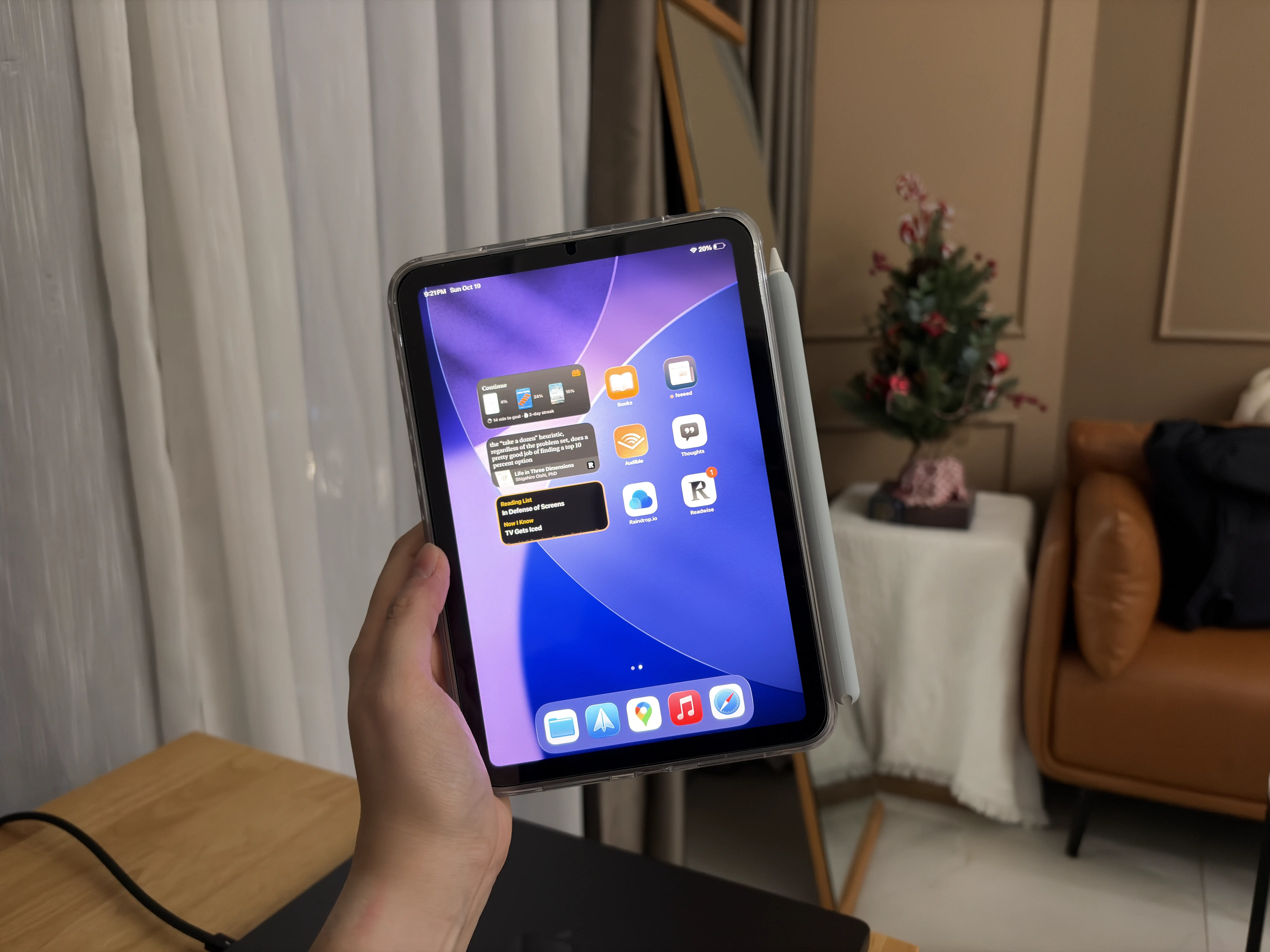
I bought an iPad mini back at the end of 2023, and it’s been life-changing. My primary reason for getting it was so that I could read more than 1–2 books over a few years. The shame of hoarding books (even if they were all ebooks) that I never opened started to get to me. One day I looked at my folder of 30+ books, I felt I just couldn’t keep pretending I’d get to them “someday.”
I was reading plenty of blogs and articles on my phone and laptop, but those devices didn’t feel right for focused reading sessions. They’re too full of other contexts and distractions: messages, apps, tabs, notifications. The form factor also didn’t feel quite right.
I had an iPad Pro 12.9-in that I bought back in mid-2020. It quickly became a glorified Netflix machine, heavily underutilized besides the occasional second monitor use case. I gave it to my little sister who wanted a tablet for note-taking as she was about to start college. After doing some research on reading devices, I got myself an iPad mini.
I read 13 books in 2024 and I’m at 16 this year with a couple more in progress. This is a result of consistent sessions and effort that compounded.
I’ve intentionally made the iPad mini my dedicated reading device. That means no notifications whatsoever, as few apps installed as possible, no messaging apps, no phone calls, no social media apps. YouTube and Netflix are there since I do watch videos once in a while, but they’re hidden in the app library. Only a few apps stay on the home screen.
My most used apps are Apple Books for reading books and feeeed for personal blogs and occasional news. I have these as widgets on the home screen to prompt me to open them more often.
I recently signed up for Readwise to help me retain what I read a little better. A couple of weeks in, I’m already rediscovering highlights I’d forgotten about. Seeing those notes pop up makes me want to revisit some books and keep reading, which is exactly what I was hoping for when I set this whole thing up.